
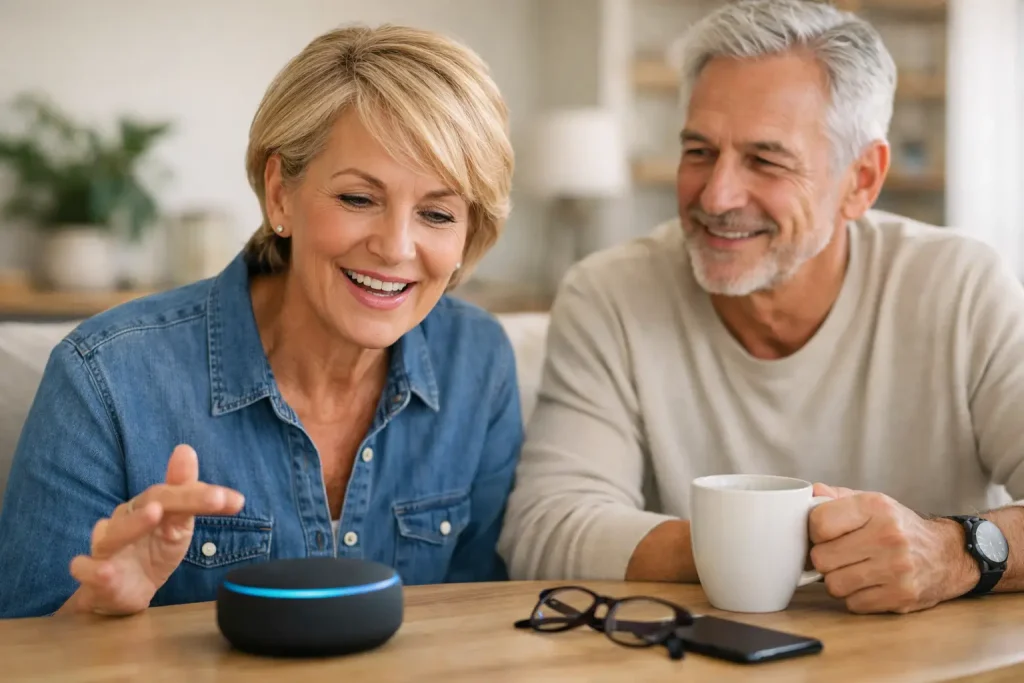
A simple spoken question can change the feel of a morning: “What’s on my calendar?” “Play some jazz.” “Call my daughter.” Voice controlled devices for seniors are valuable not because they make a home feel more futuristic, but because they can remove small barriers from the moments that matter.
For adults aged 55+ who want to keep living life on their own terms, voice technology can be a friendly extra set of hands. It can support routines, spark conversation, make entertainment easier to enjoy, and help families stay in touch. The best experience is not about having every smart feature available. It is about choosing a few that feel useful, comfortable, and genuinely enjoyable.
What voice controlled devices for seniors can do
A voice-controlled device listens for a spoken request and responds through a speaker, screen, phone, television, or connected household device. Many people begin with a smart speaker, while others prefer a voice-enabled tablet or display that combines spoken help with large, easy-to-see information.
Used thoughtfully, these devices can make everyday tasks feel lighter. A person might ask for the weather before a walk, set a timer while cooking, listen to an audiobook, or hear a reminder to water the plants. They can also make it easier to call a loved one without searching through a phone menu.
The appeal is often less about saving time and more about preserving momentum. When technology responds in plain language, there is less need to remember passwords, navigate tiny icons, or stop halfway through a task to ask for help.
Voice control can be especially helpful for:
- Staying on top of appointments, favorite programs, and everyday reminders
- Making hands-free calls or sending a quick message to family and friends
- Listening to music, podcasts, news, books, or guided activities
- Checking practical details such as weather, traffic, measurements, or store hours
- Controlling compatible lights, plugs, or thermostats with a simple request
No device needs to do all of this to be worthwhile. One person may love a daily music ritual, while another values an easier way to connect with grandchildren. The right choice begins with the life someone already enjoys.
Start with the person, not the technology
Before comparing devices, consider what would make a typical day a little smoother or brighter. This is more useful than focusing on the longest list of features.
Someone who enjoys cooking may appreciate timers, recipe help, and a favorite playlist. Someone who lives far from family may value voice calling and photo sharing. A curious lifelong learner may enjoy trivia, local history, language practice, or a daily question that starts an interesting conversation.
For family caregivers, it can be tempting to set up every possible tool at once. A gentler approach usually works better. Introduce one or two helpful habits, then let the person decide what they like. A device should feel like an invitation, not another responsibility.
Smart speakers versus voice-enabled displays
A smart speaker is often the simplest place to start. It is usually compact, responds to spoken requests, and works well for music, timers, questions, reminders, and calls. It can be a good fit for someone who prefers a low-clutter space and does not need a screen.
A voice-enabled display adds visual support. It can show the day’s schedule, display photos, present recipe steps, or make video calls feel more natural. For people who enjoy seeing information as well as hearing it, the screen can make commands easier to understand and remember.
There is a trade-off. Screens offer more context, but they can also introduce more settings and notifications. Choose the version that matches someone’s comfort level, not the one with the most impressive packaging.
Connected home features should solve a real problem
Voice-controlled lights or plugs can be convenient, particularly for lamps that are hard to reach or routines that happen at the same time each day. Saying “turn on the reading lamp” can feel pleasantly simple.
Still, a connected home does not have to mean replacing everything. Start with one familiar item, such as a living room lamp. If it becomes part of daily life, add another feature later. Keeping the setup modest makes it easier to troubleshoot and less likely to feel overwhelming.
Make setup feel calm and personal
The first few minutes with a device shape whether it becomes useful or gathers dust. If a family member is helping, set it up together rather than handing it over with a quick explanation. Ask where it should live, what name it should use, and which features sound appealing.
Place the device where conversation naturally happens: on a kitchen counter, beside a favorite chair, or near the bed for morning and evening routines. It should be close enough to hear without needing anyone to raise their voice, but not positioned where private conversations are likely to be overheard.
Next, practice a handful of natural phrases. Avoid a long lesson. Try asking for the weather, playing a beloved song, setting one reminder, and calling a trusted contact. Repetition builds familiarity far better than a printed manual full of options.
It also helps to write a small card with a few favorite requests in large print. Keep it nearby for the first week or two. The goal is not to memorize commands perfectly. Most voice tools are designed to understand everyday language, and the person using it should feel free to ask in their own words.
Privacy, control, and family involvement
A device that listens for voice requests deserves clear, respectful conversations about privacy. Older adults should know when the microphone is active, how to mute it, what information is shared, and who can change settings. A physical microphone button can provide welcome reassurance.
Review account settings together and keep passwords in a secure place. Decide whether purchases, voice calling, location features, or access to calendars should be enabled. There is no one right level of sharing. The right level is the one the person understands and chooses.
Family connection should feel supportive, not watchful. Permission-based tools can help family caregivers feel closer through shared reminders, messages, or signs of engagement, while still respecting the adult using the technology as the decision-maker. GreatDay takes this same approach to companionship and wellbeing: meaningful daily connection, with user control and respect for privacy at the center.
It is also wise to set expectations about what a voice device cannot do. It may misunderstand a request, lose connection when Wi-Fi is down, or offer an answer that needs a quick double-check. It is a useful everyday companion, not a substitute for personal judgment, caring relationships, or emergency support.
Ways to make voice technology part of a good day
The most successful voice routines are small and personal. A morning might begin with the day’s forecast and a favorite song. In the afternoon, a quick question, a short game, or a call to a friend can add a moment of interest. At night, a reminder for tomorrow can help the day end with a little more ease.
For adults who want more regular conversation and mental engagement, voice-first platforms can add another layer of companionship. A warm exchange about a favorite hobby, a prompt to reflect on a good memory, or a gentle nudge toward a planned activity can make technology feel less like a tool and more like a welcome part of the day.
If something does not work smoothly at first, that does not mean the device is a bad fit. Try changing its location, simplifying the routine, or asking the same question in a different way. Comfort grows through small successes.
The best voice-controlled device is the one that earns its place in daily life: a familiar voice nearby, a favorite song on request, an easier call home, and one more reason to feel capable, connected, and ready for the day ahead.